logo
Follow Us

Desktop Buying Guide: Things to Consider Before Buying a Desktop PC

By Srishty Kumari | Nov 4, 2024, 7:55 AM IST
Share

Buying a desktop PC can be daunting, with countless options available. Understanding your specific requirements and preferences is crucial to finding a suitable model. This guide provides essential insights into what to consider before purchasing, helping you navigate the selection process effectively.

Desktop Buying Guide Things to Consider Before Buying a Desktop PC
Desktop Buying Guide: Things to Consider Before Buying a Desktop PC
This Desktop Buying Guide highlights essential factors before purchasing a desktop PC. Key aspects include determining your primary usage—whether for gaming, work, or casual browsing—assessing performance specifications like CPU, RAM, and storage, and choosing between all-in-one or traditional setups. Additionally, consider budget, upgrade options, and brand reliability to ensure you make an informed decision that meets your needs.

This guide will walk you through the crucial factors to remember, helping you make an informed decision tailored to your needs.

Desktop Buying Guide: Determine Your Primary Usage


The first step in buying a desktop PC is determining how to use it. Different users have varying requirements, so understanding your primary usage can significantly narrow your options.

  • Gaming: If gaming is your primary focus, you’ll need a powerful machine with a high-performance GPU, ample RAM, and a fast processor.
  • Work/Professional Use: For tasks like graphic design, video editing, or software development, prioritise high processing power, ample storage, and good RAM.
  • Casual Use: If your needs are limited to browsing, streaming, and document editing, a basic model with moderate specifications will suffice.

Also Read: Best Projectors to Turn Your Drawing Room into Home Theatre

Desktop Buying Guide: Desktop Types


Desktops come in various form factors, each with its advantages and disadvantages. The main types include:

  • Tower PCs: These are traditional desktops with a separate monitor, providing extensive upgrade options and powerful performance.
  • All-in-One PCs: These combine the monitor and CPU into a single unit, saving space but often having limited upgrade options.
  • Mini PCs: Compact and portable mini PCs are suitable for basic tasks but might lack power for demanding applications.
  • Gaming PCs: Specifically designed for gaming, these often come with high-end graphics cards and cooling systems.

Read This: Best Wireless Mouse Under 1,000 for Smooth and Seamless Performance

Desktop Buying Guide: Performance Specifications


When considering performance, focus on the following components:

  • Processor (CPU): The CPU is the heart of your computer. Look for models from reputable brands like Intel or AMD. A quad-core processor is sufficient for most users, while gamers and professionals may need higher-end options like Intel Core i7 or AMD Ryzen 7.
  • RAM (Memory): RAM affects multitasking capabilities. For general use, 8GB is adequate, but 16GB or more is recommended for gaming and heavy professional tasks.
  • Storage: Decide between a Hard Disk Drive (HDD) and a state drive (SSD). SSDs offer faster performance and quicker boot times, while HDDs provide larger storage at a lower cost. A combination of both can offer the best of both worlds.
  • Graphics Card (GPU): A dedicated GPU is essential for gaming or graphic-intensive tasks. Look for models from NVIDIA or AMD that match your performance needs.

Also This: Best Wireless Keyboard 2024 for a Clutter-Free Workspace

Desktop Buying Guide: Operating System


The operating system (OS) you choose can affect your user experience significantly. The most common options include:

  • Windows: The most popular OS, ideal for gaming and business applications. Windows 10 and 11 offer a wide range of software compatibility.
  • macOS: If you prefer Apple products, macOS is well optimised for design and multimedia tasks but is limited to Mac desktops.
  • Linux: Suitable for tech-savvy users or those who need an open-source solution, Linux is customisable and free but may lack compatibility with some popular software.

Read More: Best Wireless Mouse in 2024 for Seamless Control

Desktop Buying Guide: Budget Considerations


Your budget will play a significant role in your decision-making process. Depending on specifications and brand, desktops can range from a few hundred to several thousand dollars. Here are some budgeting tips:

  • Define Your Limits: Set a clear budget and stick to it. Consider not only the initial cost but also potential future upgrades and accessories.
  • Evaluate Value for Money: Focus on performance and reliability rather than brand names—research reviews to identify the best options within your budget.
  • Look for Deals: Look for sales, especially around holidays or back-to-school seasons. Refurbished models can also offer excellent value.

Also Read: Best Wireless Keyboards and Mouse Combo to Enhance Efficiency

Desktop Buying Guide: Upgrade Options


When investing in a desktop PC, consider its upgrade potential. Upgrading components like RAM, storage, and graphics cards can extend the lifespan of your machine. Here’s what to keep in mind:

  • Ease of Access: Tower PCs typically allow for easier access to components, while allinone models may be more challenging to upgrade.
  • Compatibility: Ensure that the components you choose are compatible with the motherboard and other system parts.

Check This: Best Wireless Mouse for Working Professionals

Desktop Buying Guide: Brand Reliability


Certain brands have established a reputation for quality and customer service. Some well-regarded desktop manufacturers include:

  • Dell: Dell is known for its reliable performance and customer support. It offers a range of options, from budget to high-end models.
  • HP: HP offers a variety of desktops suitable for personal and business use, and they are often praised for their design and functionality.
  • Apple: Renowned for its build quality and design, it is ideal for creative professionals.
  • Lenovo: Offers a good balance between performance and affordability, especially in business models.

Read More: Best Wireless Keyboards for Seamless Typing

Desktop Buying Guide: Warranty and Support


Check the manufacturer's warranty and customer support options. A solid warranty can protect your investment, while responsive customer support can help resolve issues quickly.

  • Warranty Length: Most desktops have a one-year warranty, but some brands offer extended warranties for additional peace of mind.
  • Technical Support: Ensure the manufacturer provides good technical support options, including phone, chat, or email assistance.

Desktop Buying Guide: Accessories and Peripherals


Consider the peripherals and accessories you’ll need alongside your desktop:

  • Monitor: If not included, choose a monitor that matches your usage. Higher resolutions (1080p or 4K) are recommended for gaming and design work.
  • Keyboard and Mouse: Invest in quality input devices for a better user experience. Mechanical keyboards, with their tactile feedback, are popular among gamers.
  • Speakers/Headphones: Good audio equipment can enhance your multimedia experience, especially for gaming or entertainment.

Desktop Buying Guide: Reviews and Recommendations


Before finalising your purchase, read user reviews and expert recommendations. Websites like CNET, TechRadar, and user forums can provide valuable insights into the performance and reliability of specific models.

  • User Experiences: Look for feedback from users with similar needs, focusing on long-term performance and joint issues.
  • Expert Reviews: Check for in-depth reviews that cover benchmarks, performance comparisons, and overall usability.

Desktop Buying Guide: Finalizing Your Purchase


Once you’ve assessed your needs, compared options, and conducted thorough research, it’s time to purchase. Here are some final tips:

  • Shop from Reputable Retailers: Whether you’re buying online or in-store, choose reputable retailers to ensure a smooth transaction and reliable service.
  • Double-Check Specs: Before purchasing, verify that the specifications match your requirements and that you are aware of additional costs, such as shipping or assembly.
  • Plan for Setup: Consider where you’ll place your desktop and plan for any necessary cables, power sources, and internet connections.

FAQs
1. How do I choose a new desktop?
To choose a new desktop, identify your primary use—gaming, work, or casual browsing. Consider key specifications like CPU, RAM, and storage. Decide on the form factor (tower, all-in-one, or mini), and set a budget. Research brands and read reviews to find a reliable model that fits your needs.

2. How much RAM do I need?
For most users, 8GB to 16GB of RAM provides a good balance of performance and value. Power users and professionals may benefit from 32GB or more. Remember, while having enough RAM is crucial for smooth performance, it's just one part of the equation.

3. What is the average life of PC?
The average lifespan of a PC is typically between 3 to 8 years, depending on usage, components, and maintenance. High-performance machines may last longer with upgrades, while basic models may require replacement sooner. Regular maintenance, software updates, and hardware upgrades can extend a PC's usability beyond its average lifespan.


Disclaimer: Times Shopping Guide is committed to bringing you the latest products from the best brands. Our selection is based on market research and positive consumer feedback. Times Shopping Guide is also a part of an affiliate partnership. In line with this, we may receive a portion of the revenue from your purchases. Please note that the product prices are subject to change based on the retailer's deals.


Next Article

Best Intel Core i5 12th Gen Laptops for Multitasking and Gaming

By Himani Jha | Updated Mar 5, 2025, 9:55 AM IST
Share

If you're looking for a powerful yet budget-friendly laptop that can handle multitasking and gaming with ease, an Intel Core i5 12th Gen laptop is a perfect choice. They offer a blend of speed, efficiency, and performance, making them ideal for professionals, students, and gamers alike. In this article, we have curated a list of 6 best laptops powered by Intel’s 12th Gen core i5 to ensure seamless multitasking.

Best Intel Core i5 12th Gen Laptops for Multitasking and Gaming
Best Intel Core i5 12th Gen Laptops
Looking for a powerful yet budget-friendly laptop that can handle multitasking, gaming, and productivity with ease? The Intel Core i5 12th Gen laptops strike the perfect balance between performance, efficiency, and affordability, making them a great choice for gamers, professionals, and students alike. One of the biggest reasons to choose an Intel Core i5 12th Gen laptop is its hybrid architecture, which combines Performance Cores (P-Cores) and Efficiency Cores (E-Cores). This means you get lightning-fast speeds for demanding tasks like gaming and video editing, while the efficiency cores ensure smooth multitasking and better battery life.

For gamers, the Core i5 12th Gen processor brings impressive clock speeds, better power management, and support for DDR5 RAM and PCIe 4.0 storage, allowing for faster load times and smoother gameplay. When paired with a dedicated GPU like NVIDIA GTX or RTX, you can enjoy high frame rates and immersive graphics without breaking the bank. Whether you’re switching between multiple apps, editing videos, or playing high-end games, these laptops won’t slow you down.

Multitaskers will love the efficiency and responsiveness of these laptops. With improved AI-based performance, Intel Turbo Boost technology, and enhanced thermal management, you can work, stream, and game seamlessly without overheating or lagging. Plus, most models come with fast SSD storage, high-refresh-rate displays, and long-lasting batteries, making them ideal for both work and play.

If you're in the market for a reliable, future-proof, and high-performance laptop, the Intel Core i5 12th Gen lineup offers some of the best options. In this article, we’ve rounded up the top i5 12th Gen laptops that deliver outstanding value for multitasking

Top Inter Core i5 12th Gen Laptop

1. Lenovo [Smartchoice LOQ 12th Gen Core i5


The Lenovo Smartchoice LOQ 12th Gen Core i5 is built to deliver top-tier performance with its Intel Core i5-12450HX processor, 16GB DDR5 RAM, and NVIDIA GeForce RTX 3050 (6GB) graphics. Whether you’re gaming, editing, or working, the 144Hz FHD IPS display ensures ultra-smooth visuals, while the AI Engine+ and MUX Switch optimize performance dynamically. Plus, its Hyperchamber thermal design keeps overheating in check, so you can push limits without worry. With WiFi 6, Bluetooth 5.2, and Rapid Charge Pro, this laptop can be a great option.

Users' feedback: Customers find the laptop has good quality, speed, and value for money. They appreciate its fast performance, responsiveness, and powerful processor that enhances gaming experience. The display quality is praised for providing awesome graphics in each game.

2. Acer Aspire Lite 12th Gen Intel Core i5


The Acer Aspire Lite 12th Gen Intel Core i5 is a fantastic choice! Powered by the Intel Core i5-1235U processor with up to 4.40 GHz speed and 10 cores, this laptop delivers smooth performance and long battery life. The 15.6" Full HD display with narrow bezels ensures an immersive viewing experience, while 16GB RAM and a 512GB SSD offer seamless multitasking and ample storage. With Intel Iris Xe Graphics, multiple ports, and a full-size keyboard, this laptop is designed for efficiency.

Users' feedback: Customers find the laptop a decent product with good performance and value for money. They appreciate its fast charging and booting time. Many like the display quality and office use.

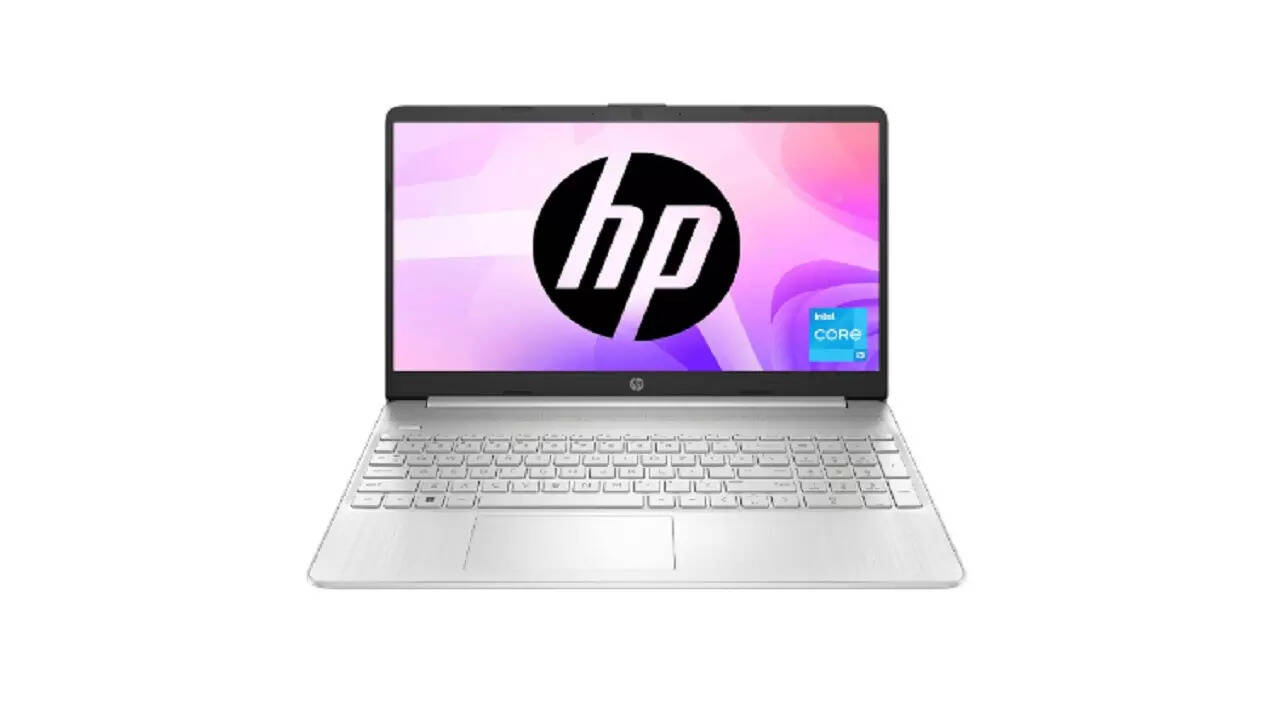
3. HP 15, 12th Gen Intel Core i5-1235U


The HP 15, 12th Gen Intel Core i5-1235U is packed with features to enhance your productivity and multitasking. Powered by a 10-core processor with 12 threads, it delivers seamless performance whether you're working, streaming, or gaming. The Intel Iris Xe Graphics ensures crystal-clear visuals, while the 15.6" FHD micro-edge display offers an immersive experience. With 16GB RAM and a 512GB SSD, expect lightning-fast speeds and ample storage. Plus, enjoy up to 7.5 hours of battery life and Wi-Fi 5 connectivity for an uninterrupted workflow.

Users' feedback: Customers find the laptop has a good build quality, vibrant display, and powerful performance. They appreciate its value for money, ease of use, and colorful images.

4. HONOR MagicBook X16 (2024), 12th Gen Intel Core i5-12450H


The HONOR MagicBook X16 (2024) is a fantastic choice with its 12th Gen Intel Core i5-12450H processor, delivering speeds up to 4.4 GHz for seamless multitasking. Equipped with 16GB LPDDR4x RAM and a 512GB PCIe NVMe SSD, it ensures super-fast performance whether you're working, streaming, or studying. The sleek aluminum body, lightweight design (1.68kg), and 65W Type-C fast charging make it ultra-portable. Plus, its 16” FHD Anti-Glare screen with TÜV Rheinland certification protects your eyes.

Users' feedback: Customers find the notebook computer well-made and providing good value for money. They appreciate its performance and ease of use.

5. Dell Inspiron 3520 Laptop, Intel Core 12th Gen i5-1235U


The Dell Inspiron 3520 with Intel Core i5-1235U 12th Gen delivers fast performance and seamless multitasking with its 10-core processor, 8GB RAM, and 512GB SSD storage. Its 15.6” FHD display with a 120Hz refresh rate ensures smooth visuals, while Dell ComfortView reduces blue light emissions for eye comfort. Plus, the lift hinge design enhances typing ergonomics. With Windows 11, MS Office 2021, and McAfee Security pre-installed, you’re set for productivity.

Users' feedback: Customers find the notebook computer has good quality and performance for everyday use. They say it works well with installed applications and is a good value for money.

6. Lenovo IdeaPad Slim 3 12th Gen Intel Core i5-12450H


The Lenovo IdeaPad Slim 3 (12th Gen Intel Core i5-12450H) is a perfect choice! Powered by an Intel Core i5-12450H processor with 8 cores and 12 threads, it delivers seamless multitasking with speeds up to 4.4 GHz. The 14" FHD anti-glare display with TUV Low Blue Light certification ensures comfortable viewing, while 16GB RAM and a 512GB SSD provide smooth performance. With up to 12 hours of battery life, Dolby Audio speakers, and Windows 11 pre-installed, this ultra-thin, 1.37 kg laptop is ideal for work.

Users' feedback: Customers appreciate the laptop's quality and performance. They find it suitable for personal use and small games, with a decent camera and good processor. Many are satisfied with its compact size.


FAQs
1. What are the key features to consider when choosing the top laptop for office use?
When choosing the best laptop for office use, consider key features like a powerful processor (Intel Core i5/i7 or AMD Ryzen 5/7) for smooth multitasking, at least 8GB RAM (preferably 16GB) for handling multiple apps efficiently, and a fast SSD storage (256GB or higher) for quicker boot times and file access. A Full HD display (14-inch or 15.6-inch) ensures comfortable viewing, while a lightweight and durable design enhances portability. Look for long battery life (8+ hours) to stay productive on the go, multiple connectivity options (USB-C, HDMI, Wi-Fi 6, Bluetooth 5.0), and a comfortable keyboard for extended typing sessions.

2. Can a budget laptop handle office tasks?
Yes, a budget laptop can handle office tasks efficiently, provided it has the right specifications. Most modern budget laptops come with at least an Intel Core i3, i5, or AMD Ryzen 3/5 processor, 8GB RAM, and SSD storage, which are sufficient for tasks like document editing, emails, web browsing, video conferencing, and basic multitasking. While they may not be ideal for heavy workloads like video editing or 3D rendering, they work well for everyday office tasks. Opting for a lightweight, energy-efficient laptop with a good display and battery life ensures smooth performance

3. How important is the battery life for office work laptops?
Battery life is crucial for office work laptops, especially for professionals who work on the go or attend meetings throughout the day. A long-lasting battery ensures uninterrupted productivity, reducing the need to constantly search for charging outlets. It allows users to handle multitasking, video conferencing, and document editing without worrying about running out of power. A laptop with at least 6-8 hours of battery life is ideal for a full workday, while those with fast charging capabilities provide added convenience. For remote workers and business travelers, a reliable battery is a game-changer, ensuring efficiency and flexibility.

Disclaimer: Times Shopping Guide is committed to bringing you the latest products from the best brands. Our selection is based on market research and positive consumer feedback. Times Shopping Guide is also a part of an affiliate partnership. In line with this, we may receive a portion of the revenue from your purchases. Please note that the product prices are subject to change based on the retailer's deals.


Next Article

Best-Selling Laptops for Video Editing to Edit Like a Pro

By Himani Jha | Updated Feb 19, 2025, 8:03 PM IST
Share

Whether you're a professional video editor, a content creator, or an aspiring YouTuber, a powerful laptop with the right specs ensures smooth performance, faster render times, and an overall seamless workflow allowing you to edit like a pro. From high-end workstations to budget-friendly options; check out top laptops that strike the perfect balance between power and reliability.

Best-Selling Laptops for Video Editing to Edit Like a Pro
Top Laptops for video editing
Finding the perfect laptop for video editing isn’t just about power—it’s about performance, reliability, and portability. Whether you're a professional editor working on high-resolution projects or a content creator producing videos on the go, the right laptop can significantly enhance your workflow. But with so many options available, choosing the best one can be overwhelming. We have curated a list of top-tier laptops that can handle the most demanding editing tasks considering everything from processing power and GPU performance to display accuracy and battery life.

If budget is not a problem, the Apple MacBook Pro 13-inch Laptop with M3 chip is an excellent choice, offering a great balance between power and reliability. If portability is your priority Apple's Macbook Air is undoubtedly the best option. Beyond Apple’s powerhouse lineup, we’ve also get some of the best Windows laptops for video editing, ensuring there’s an option for every editor’s preference.

They are suitable for anyone working with demanding editing software like Adobe Premiere Pro, DaVinci Resolve, or Final Cut Pro. Check out our top-recommended picks here.

Best laptops for video editing in 2025

Top laptops for video editingRAM capacity
Apple 2024 MacBook Air 13″ Laptop with M3 chip16GB RAM
Lenovo [Smartchoice LOQ 12th Gen Intel Core i5 laptop16GB RAM
Dell {Smartchoice} G15-5530 Core i5-13450HX 16GB RAM
Acer Nitro V Gaming Laptop 13th Gen Intel Core i5 16GB RAM
HP Victus, 12th Gen Intel Core i5-12450H 16GB RAM
ASUS TUF Gaming A15 16GB RAM

1. Apple 2024 MacBook Air 13″ Laptop with M3 chip


The 2024 MacBook Air 13″ with M3 chip is Apple’s latest powerhouse in an ultra-thin, lightweight design. Engineered for seamless performance, its 8-core CPU and up to 10-core GPU deliver smooth multitasking, making it perfect for work and play. The stunning 13.6″ Liquid Retina display with 1 billion colors ensures vibrant visuals, while the 1080p FaceTime HD camera and Spatial Audio enhance video calls and entertainment. With an impressive 18-hour battery life, you can stay productive on the go.

Users feedback: Customers find the MacBook Air M1 to be a good and powerful laptop for daily use. They appreciate its great value for money, fast performance, and build quality. Many mention it works smoothly without any lag or flaws. The battery life is also appreciated.

2. Lenovo [Smartchoice LOQ 12th Gen Intel Core i5 laptop


The Lenovo Smartchoice LOQ 12th Gen Intel Core i5 is a powerhouse designed for both gamers and creative professionals. Featuring an Intel Core i5-12450HX processor with speeds up to 4.4GHz, 16GB DDR5 RAM, and a 512GB SSD (expandable to 1TB), this laptop delivers exceptional performance. The 15.6" FHD IPS display with a 144Hz refresh rate ensures smooth visuals, while the NVIDIA GeForce RTX 3050 6GB GPU enhances video editing and gaming. Equipped with Hyperchamber thermal design, AI Engine+, and Windows 11 Home, it’s built for speed, efficiency, and multitasking.

Users feedback: Customers find the notebook computer has good performance and a nice display. They consider it a good value for the price.

3. Dell {Smartchoice} G15-5530 Core i5-13450HX


The Dell Smartchoice G15-5530 is a powerful gaming laptop designed for smooth performance and immersive visuals. Powered by the 13th Gen Intel Core i5-13450HX (up to 4.60 GHz) and 16GB DDR5 RAM, it ensures seamless multitasking and fast processing speeds. The 1TB SSD provides ample storage for games, videos, and creative projects. Equipped with an NVIDIA GeForce RTX 3050 (6GB GDDR6), it delivers stunning graphics on the 15.6" FHD 120Hz display. The orange backlit keyboard enhances the gaming experience, while multiple connectivity options, including HDMI 2.1 and USB-C, make it versatile.

Users feedback: Customers find the laptop has good quality and performance. They say it's a perfect gaming laptop that runs any game smoothly with no lag issues. They are satisfied with the build quality.

4. Acer Nitro V Gaming Laptop 13th Gen Intel Core i5


The Acer Nitro V Gaming Laptop is a powerhouse designed for gamers and creators alike. Featuring the 13th Gen Intel Core i5-13420H processor with 8 cores and a turbo boost up to 4.60 GHz, it delivers smooth performance for gaming and video editing. With 16GB DDR5 RAM (expandable to 32GB) and an ultra-fast 512GB PCIe Gen4 SSD, multitasking is seamless. The 15.6" Full HD IPS display with a 144Hz refresh rate ensures vibrant visuals, while the NVIDIA GeForce RTX 4050 (6GB GDDR6) powers high-quality graphics. Running on Windows 11 Home, it also features a backlit keyboard and Thunderbolt support for improved connectivity.

Users feedback: Customers find the notebook computer offers good value for money with its features and performance. They appreciate its build quality and look.

5. HP Victus, 12th Gen Intel Core i5-12450H


The HP Victus 12th Gen Intel Core i5-12450H is a powerful laptop designed for smooth performance and immersive gameplay. Equipped with an 8-core, 12-thread Intel Core i5-12450H processor and 12MB L3 cache, it delivers superior speeds while an advanced cooling system ensures optimal thermal management. The 4GB NVIDIA GeForce RTX 3050 GPU enhances gaming with AI-accelerated performance and stunning 3D rendering. With 16GB DDR4 RAM and a 512GB PCIe Gen4 NVMe SSD, experience seamless multitasking and ultra-fast load times.

Users feedback: Customers appreciate the laptop's quality, performance, and build quality. They find it a nice product with good processing speed and no lagging in video rendering. The build feels premium and professional-looking like a business laptop. Many customers consider it a solid contender for budget-minded gamers. They also like the display quality.

6. ASUS TUF Gaming A15


The ASUS TUF Gaming A15 is a powerhouse laptop built for gamers and creators alike. Equipped with the AMD Ryzen 7 7435HS processor, boasting 8 cores and 16 threads with speeds up to 4.5 GHz, it delivers smooth multitasking and high-performance computing. The 15.6-inch FHD display with a 144Hz refresh rate ensures fluid visuals, while the NVIDIA GeForce RTX 2050 GPU provides solid graphics performance. With 16GB DDR5 RAM (expandable to 32GB) and a 512GB PCIe 4.0 SSD, this laptop offers blazing-fast speeds. A backlit RGB keyboard, fast-charging battery, and durable TUF build make it a reliable choice.

Users feedback: Customers find the laptop to have a good build quality and keyboard. They find it to be a good value for money, with a fast processor and SSD that offers transfer speeds up to 2500 MB/s. The display quality is good indoors but not outdoors.

FAQs:
1. Is a laptop or PC better for video editing?

Choosing between a laptop and a desktop for video editing depends on your workflow and priorities. If you need portability and the flexibility to edit from anywhere, a high-performance laptop is the best option. However, if raw power, upgradeability, and a larger screen setup are more important, a desktop offers superior performance and customization. Both have their advantages and drawbacks.

2. Is 8GB RAM enough for 4K video editing?

When editing videos in Adobe Premiere Pro, having the right amount of RAM is crucial for smooth performance. At a minimum, you’ll need 8GB of RAM, but that’s only suitable for basic editing tasks. For 1080p HD video editing, 16GB of RAM is recommended to ensure seamless playback and efficient rendering. If you’re working with 4K video, 32GB of RAM is ideal for handling high-resolution footage without lag or crashes. The more RAM you have, the better Premiere Pro will perform, allowing you to edit efficiently.

3. What to look for in a Video editing laptop?

When selecting the best laptop for video editing, several crucial factors determine performance and efficiency. Here are the key factors that you need to look for
Processor: A powerful CPU ensures smooth performance, from running editing software to rendering high-resolution footage. Multi-core processors are a must for handling intensive workloads.

RAM: Video editing requires significant memory. While 8GB is the minimum, 32GB is ideal for seamless multitasking.

Graphics: A dedicated GPU significantly improves performance, ensuring smoother playback and faster rendering.

Display: A color-accurate, high-resolution screen is vital for precise editing and color grading.

Disclaimer: Times Shopping Guide is committed to bringing you the latest products from the best brands. Our selection is based on market research and positive consumer feedback. Times Shopping Guide is also a part of an affiliate partnership. In line with this, we may receive a portion of the revenue from your purchases. Please note that the product prices are subject to change based on the retailer's deals.


Next Article

Best-Selling Premium Laptops That Are Worth Every Penny

By Himani Jha | Updated Feb 3, 2025, 9:36 AM IST
Share

The best-selling premium laptops that are dominating the market, offering impressive performance, stunning displays, and unbeatable reliability. They are powerful, stylish, and feature-packed options that justify every dollar spent. But with so many options out there, how do you know which one’s truly worth the investment? Check out the top-picked options from HP, Dell, Lenovo and more.

Best-Selling Premium Laptops That Are Worth Every Penny
Best-selling premium laptops
If you’re investing in a premium laptop, you want top-tier performance, stunning design, and long-lasting reliability—all in one sleek package. Whether you’re a professional needing a powerhouse for work, a creator looking for an ultra-sharp display, or a gamer seeking high-end specs, premium laptops do it all without any hiccups.

But with so many options on the market, choosing the right premium laptop can feel overwhelming. Should you go for Apple’s MacBook lineup with its M-series chips or opt for a Windows powerhouse like Dell XPS, HP, or ASUS laptop? What about gaming beasts? With premium laptops, you’re not just paying for a brand—you’re paying for premium build quality, high-performance components, and future-proofing.

In this article, we’ve rounded up the best-selling premium laptops that offer outstanding performance, gorgeous displays, and powerful internals—all worth every penny. These laptops are powerhouses. Check out top picks here.

Top-selling premium laptops
Best premium laptop RAM
HP [Smart Choice Omen Gaming Laptop]16GB
Dell G15-5520 Gaming Laptop, Intel i5-12500H8GB
HP Pavilion 14, 12th Gen Intel Core i7-1255U16GB
Lenovo IdeaPad Pro 5 Intel Evo Core Ultra 932GB
Acer ALG Gaming Laptop 12th Gen Intel Core i5 Processor16GB


1. HP [Smart Choice Omen Gaming Laptop]


Looking for a gaming laptop that can handle everything from AAA titles to intense multitasking? The HP Smart Choice Omen Gaming Laptop is built for serious gamers with its 8-core AMD Ryzen 7 7840HS processor and 8GB NVIDIA GeForce RTX 4060 GPU, delivering seamless performance and AI-enhanced graphics. With 16GB DDR5 RAM and a 1TB PCIe Gen4 SSD, you’ll experience lightning-fast load times and smooth gameplay. The 16.1” FHD micro-edge display ensures immersive visuals, while Wi-Fi 6E and a long-lasting battery keep you gaming without limits.

Users' feedback: Customers find the laptop has good performance and a good cooling system. They appreciate its brightness.

2. Dell G15-5520 Gaming Laptop, Intel i5-12500H


The Dell G15-5520 is here to level up your gaming experience. Powered by the 12th Gen Intel Core i5-12500H and NVIDIA GeForce RTX 3050, this beast ensures fluid gameplay and fast multitasking. The 120Hz FHD display keeps every frame crisp, while the Alienware-inspired cooling system prevents overheating during intense battles. With 8GB DDR5 RAM, 512GB SSD storage, and a backlit keyboard, it’s a perfect companion for gamers and creators alike.

Users' feedback: Customers find the laptop has good quality and performance. They say it's a perfect gaming laptop that runs any game smoothly with no lag issues. They are satisfied with the build quality.

3. HP Pavilion 14, 12th Gen Intel Core i7-1255U


The HP Pavilion 14 (12th Gen Intel Core i7-1255U) is built for seamless performance, featuring a high-speed processor, 16GB RAM, and 1TB SSD storage for ultra-fast multitasking. Its 14-inch Full HD display with Intel UHD Graphics ensures vibrant visuals, whether you're streaming, gaming, or working on creative projects.

With pre-installed Windows 11, Microsoft Office, and Alexa built-in, this laptop is designed to boost productivity effortlessly. Plus, premium B&O audio, a backlit keyboard, and a fingerprint reader make it a perfect choice.

Users' feedback: Customers appreciate the notebook computer's build quality, speed, and screen quality. They find it works well, has a good processor, and downloads quickly. Many are satisfied with the weight.

4. Lenovo IdeaPad Pro 5 Intel Evo Core Ultra 9


If you're looking for a powerful, AI-enabled laptop that delivers top-tier performance, the Lenovo IdeaPad Pro 5 Intel Evo Core Ultra 9 is a game-changer. Packed with Intel Evo Core Ultra 9 185H, 32GB RAM, and 1TB SSD, it ensures lightning-fast multitasking and seamless performance. The stunning 16" 2.8K OLED display with a 120Hz refresh rate brings your visuals to life, while the Intel Arc Graphics enhances creativity and gaming.

Designed for efficiency, it features Rapid Charge, Smart Cooling, and an ultra-slim 1.46kg build.

Users' feedback: Customers find the notebook computer has good performance, a stunning display, and good battery life. They appreciate its fast boot speed, quick wake times, and value for money. They are also satisfied with the sound quality, weight, and functionality.

5. Acer ALG Gaming Laptop 12th Gen Intel Core i5 Processor


The Acer ALG Gaming Laptop with a 12th Gen Intel Core i5-12450H processor delivers lightning-fast performance, making it perfect for gaming, content creation, and multitasking. With Turbo Boost up to 4.4GHz, this laptop handles high-demand applications with ease.

It comes with a visually stunning 15.6" Full HD display with ultra-slim bezels for an immersive experience. Plus, with 16GB RAM, a 1TB SSD, multiple ports, and a multi-color illuminated keyboard, this machine is built for serious gamers and professionals alike.

Users' feedback: Customers appreciate the laptop's quality and display. They find it to be a good product with a vibrant display that enhances gaming. Many are satisfied with the value for money and gaming experience.

Disclaimer: Times Shopping Guide is committed to bringing you the latest products from the best brands. Our selection is based on market research and positive consumer feedback. Times Shopping Guide is also a part of an affiliate partnership. In line with this, we may receive a portion of the revenue from your purchases. Please note that the product prices are subject to change based on the retailer's deals.